What if Windows let you quickly access administrative tools, backup and restore options and other important management settings from a single window? If that sounds good, look no further than the so-called “God Mode”.
What Is God Mode?
God Mode is a special option available in the past several versions of Windows that gives you quick access to most of the applets and commands from Control Panel. As such, God Mode–or Windows Master Control Panel–is a useful time-saver that can spare you from having to hunt through different windows and screens to find the Control Panel command you want.
God Mode has always been considered of greatest appeal to advanced Windows users and developers, but it can be helpful to anyone who would like an array of commands available in one single place. Since Microsoft no longer offers a convenient shortcut for Control Panel in Windows . God Mode can be a fast and easy way to access all of its core commands.
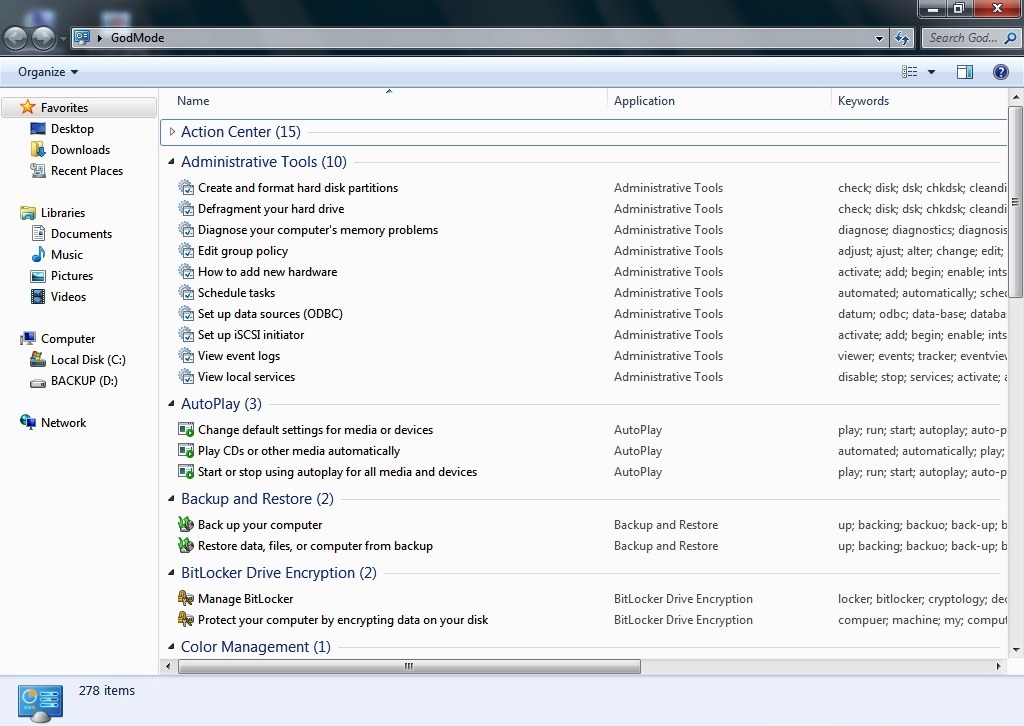
Here are the categories of tools you’ll find in God Mode:
- Administrative Tools
- AutoPlay
- Backup and Restore
- Color Management
- Credential Manager
- Date and Time
- Devices and Printers
- Ease of Access Center
- File Explorer Options
- File History
- Fonts
- Indexing Options
- Infrared
- Internet Options
- Keyboard
- Mouse
- Network and Sharing Center
- Pen and Touch
- Phone and Modem
- Power Options
- Programs and Features
- Region
- RemoteApp and Desktop Connections
- Security and Maintenance
- Sound
- Speech Recognition
- Storage Spaces
- Sync Center
- System
- Tablet PC Settings
- Taskbar and Navigation
- Troubleshooting
- User Accounts
- Windows Defender Firewall
- Windows Mobility Center
- Work Folders
Categories of tools may defer in several versions of windows.
Enabling God Mode in Windows
To make this work, you must be using an account with administrative privileges. Go to your desktop and create a new folder by right-clicking any open area, pointing to “New” on the context menu, and then clicking the “Folder” command.
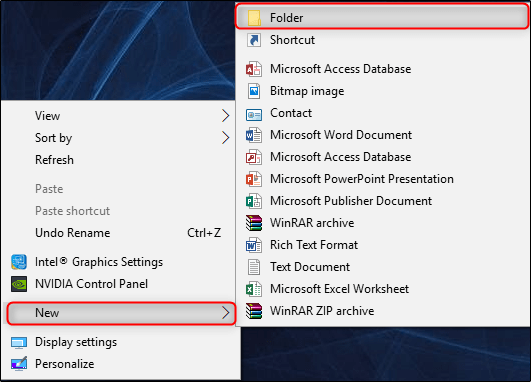
The new folder icon will appear.
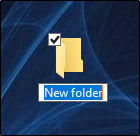
Now, rename the folder to the following:
GodMode.{ED7BA470-8E54-465E-825C-99712043E01C}
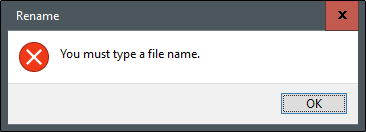
To use a name other than GodMode, just replace “GodMode” in the above text with whatever you want to name the folder. The characters that follow (including the period) must remain exactly as listed above. If you remove “GodMode” without adding any text in its place, you’ll receive the following error.
Once you’ve properly renamed the folder, you’ll notice the folder icon change to a control panel icon.

Double-click the icon to open the newly-created God Mode. The major categories are organized alphabetically and so are the more than 200 settings you’ll find within those categories.
 beginner's